
What Does the Shipping Section Do?
In the bundle edit page, the Shipping and product section lets you control how shipping and weight work for your bundle.
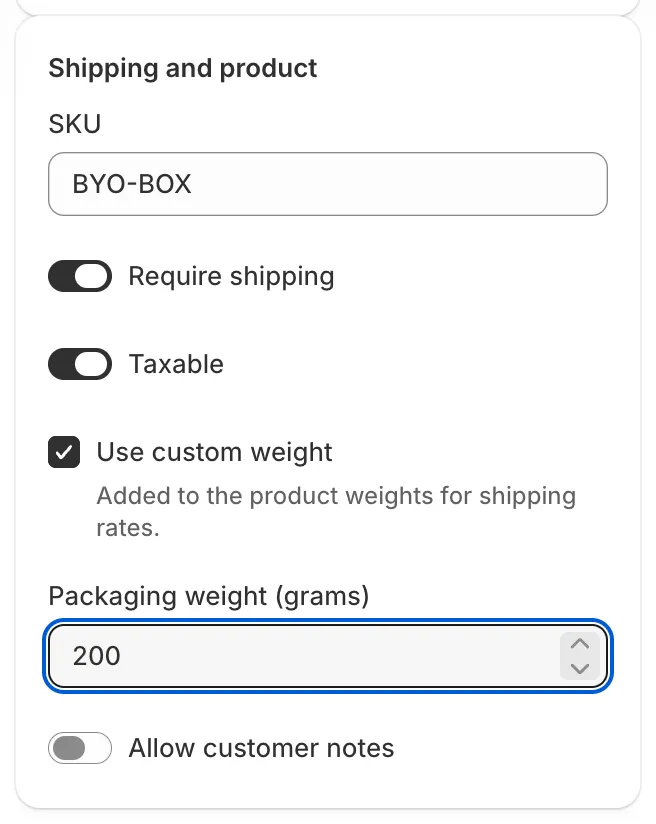
SKU
An optional SKU (stock keeping unit) for the bundle product. Useful for tracking bundles in your inventory or fulfillment system.
Require Shipping
Determines whether the bundle product requires shipping. Enabled by default. If you sell digital-only bundles, you may want to disable this.
Taxable
Determines whether tax is calculated on the bundle. Enabled by default.
Use Custom Weight
When enabled, Bundable calculates the total weight for your bundle product using an additive model:
- The weights of all individual product variants selected by the customer are summed up (based on each variant’s weight in Shopify × its quantity in the bundle)
- The Packaging weight you set is added on top of this total
This gives Shopify an accurate total weight for calculating weight-based shipping rates.
- Packaging weight (grams): the additional weight of packaging or containers (e.g., a box, insulation, ice packs) added on top of the individual product weights. Enter the value in grams.
Example: If a customer builds a bundle with products weighing 500g total, and you set a packaging weight of 200g, the bundle will have a total weight of 700g for shipping calculations.
If custom weight is not enabled, the bundle product will use Shopify’s default weight behavior.
Note: This feature applies to Single-SKU bundles only. Multi-SKU bundles add individual products to the cart directly, so each product’s own weight is used by Shopify for shipping.
Customer Notes
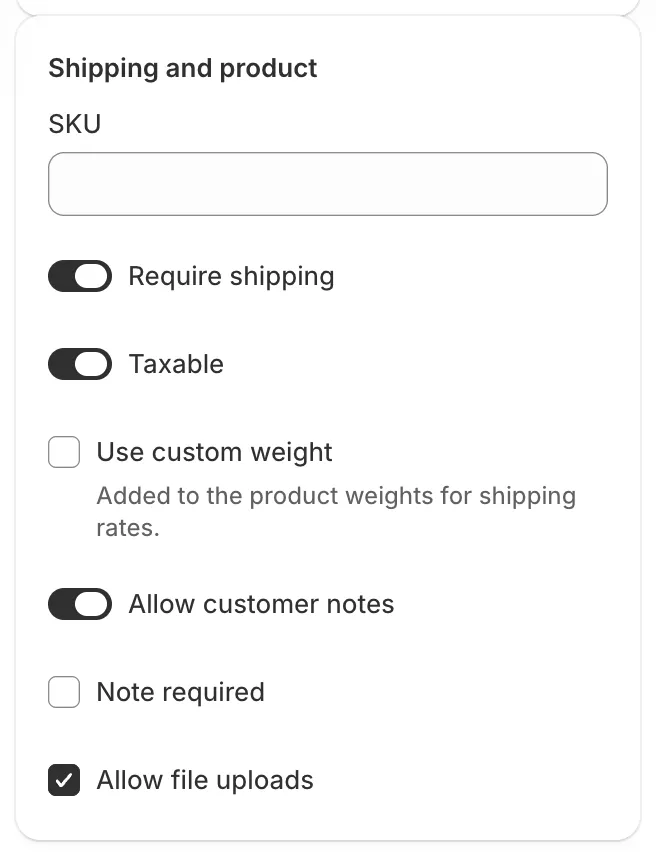
Customer notes are configured in the same Shipping and product section: turn on Allow customer notes to let customers add a text note on the bundle builder page, and optionally check Note required so customers must enter a note before completing the bundle. See Customer Notes & File Uploads for details.
Questions about shipping settings? Contact us at support@soviapps.com.